โœจ Your Productivity, Reimagined

Notes, Checklists & Sketches โ€” All in One Place

Notester is the beautifully crafted productivity app that combines rich text notes, interactive checklists, a digital sketchpad, and instant PDF generation. Works offline, syncs everywhere.

4.8โ˜… App Rating
Free No Subscription
Offline First Design
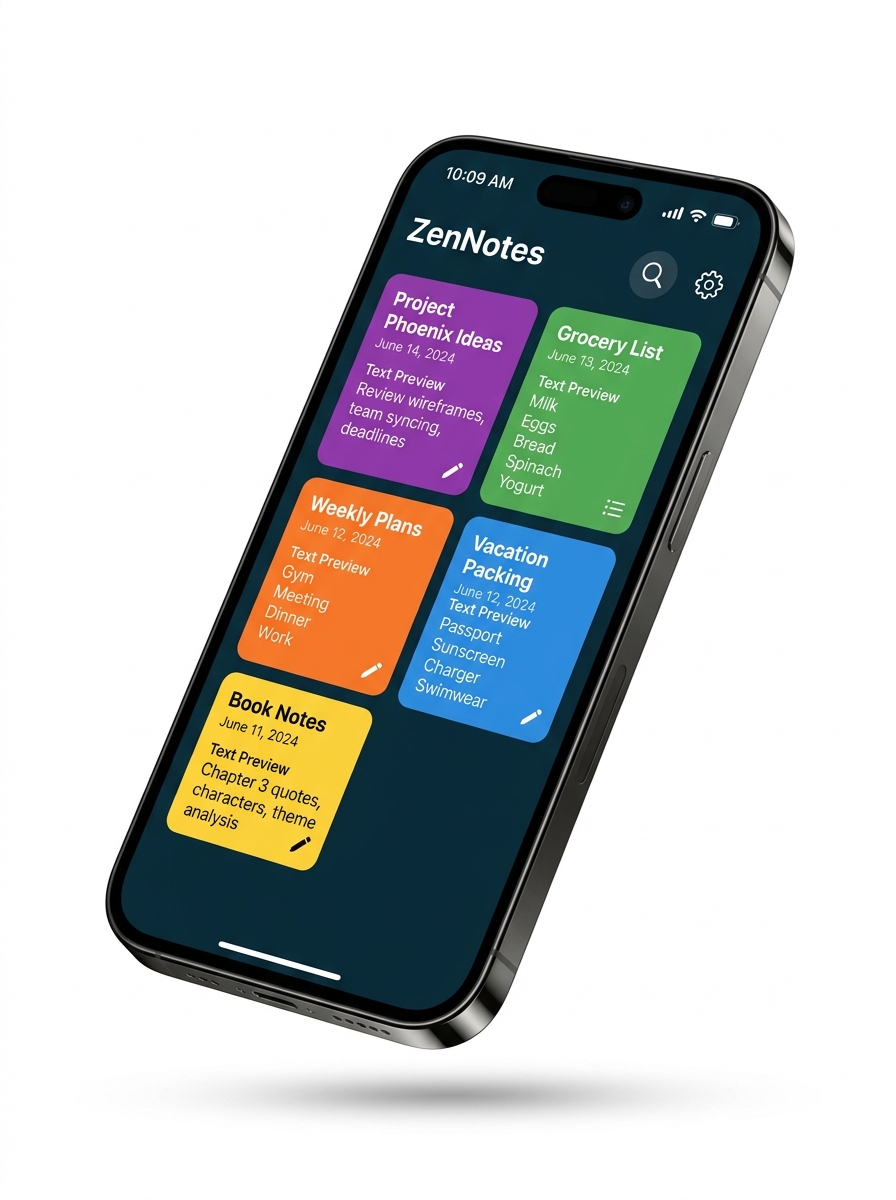
Notester app showing colorful note cards in a grid layout
Scroll to explore
Features

Everything You Need to Stay Productive

Notester packs powerful features into a clean, intuitive interface that adapts to your workflow.

Rich Text Editor

Format your notes with bold, italic, headers, lists, and more using a powerful WYSIWYG editor. Express yourself with full creative control.

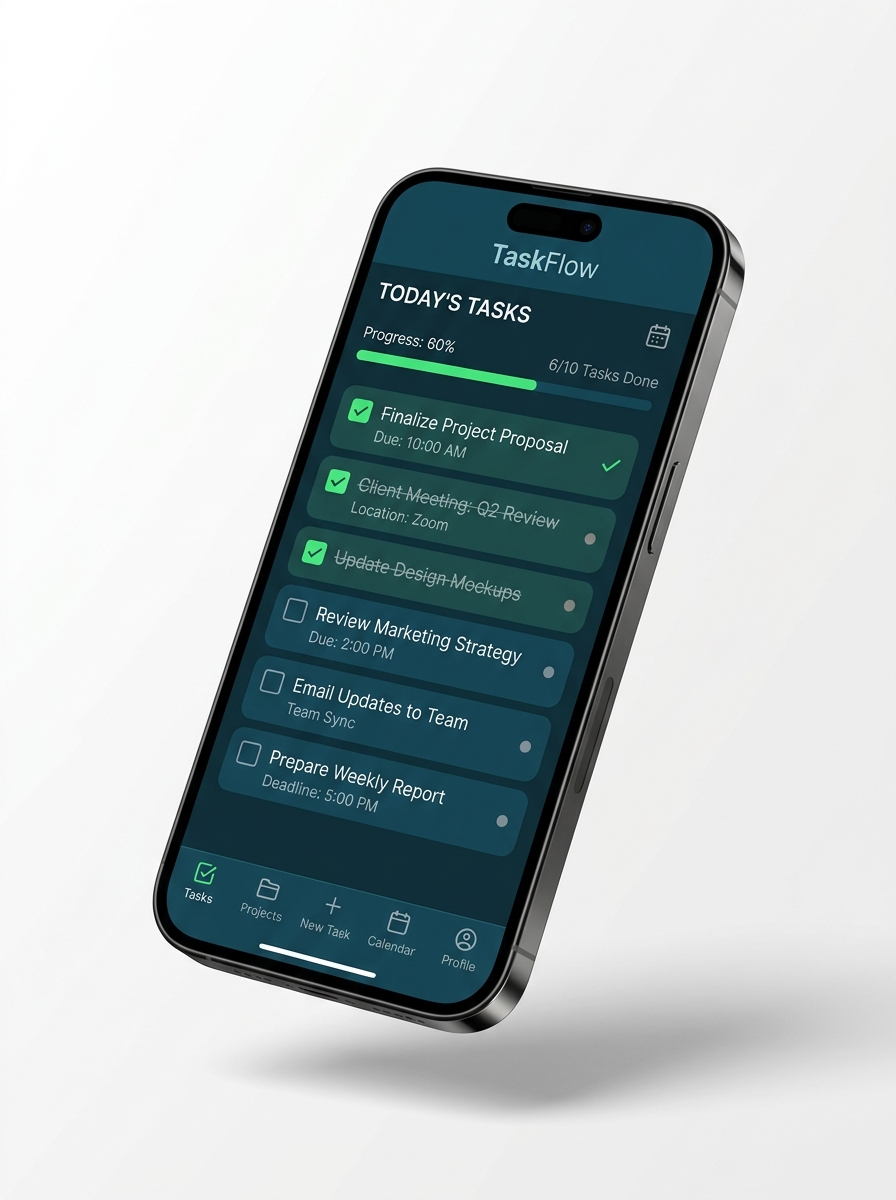
Smart Checklists

Create interactive to-do lists with progress tracking. Stay on top of tasks with visual completion indicators.

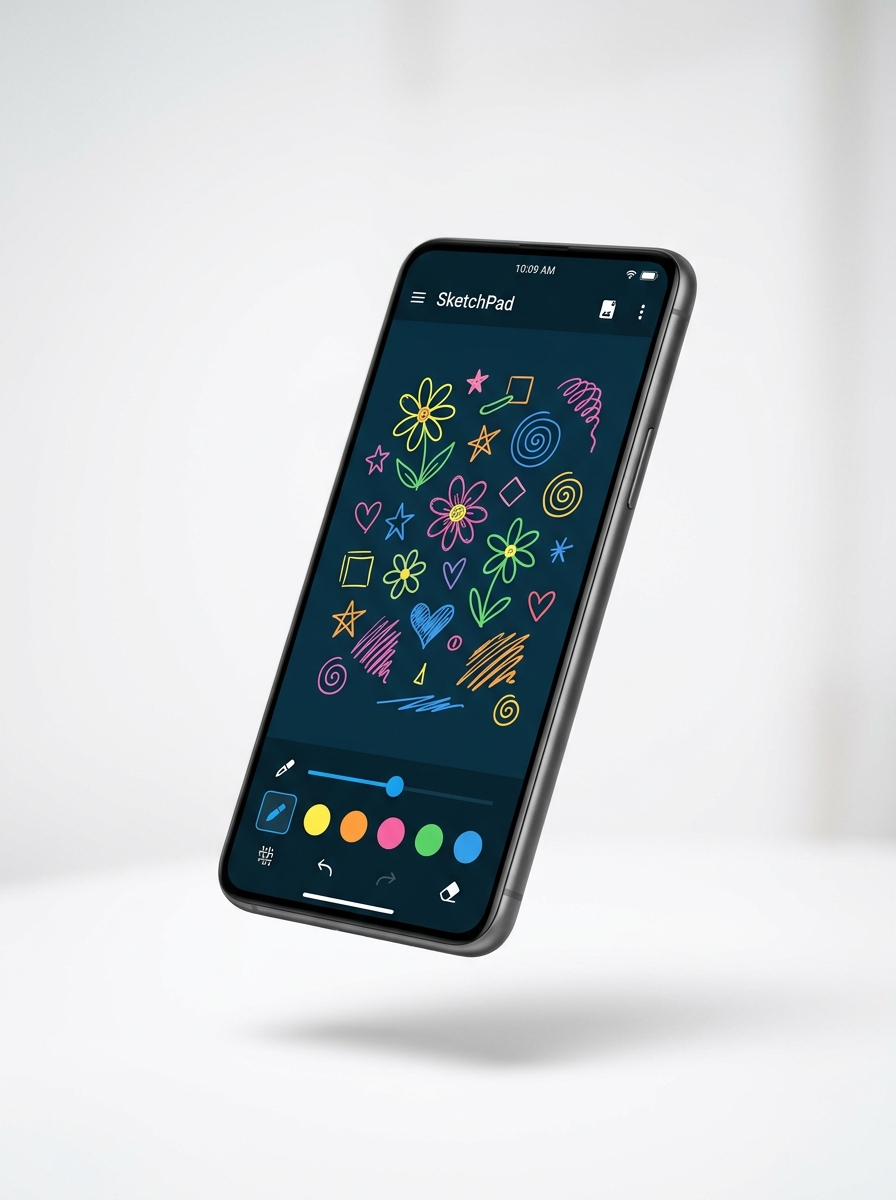
Digital Scratchpad

Draw, doodle, and sketch freely with customizable pen tools, colors, and an undo/redo system.

Instant PDF Export

Convert any note into a beautifully formatted PDF document ready for printing, sharing, or archiving.

Cloud Sync

Your notes sync seamlessly across all your devices. Start on your phone, continue on your tablet.

Offline First

Works perfectly without internet. Your notes are stored locally with lightning-fast ObjectBox database and sync automatically when you're back online.

Secure Auth

Sign in securely with email or Google One-Tap. Your data stays private and protected.

Dark & Light Mode

Switch between elegant dark and light themes. Easy on the eyes, beautiful in every setting.

Showcase

See Notester In Action

From quick notes to detailed checklists and creative sketches โ€” Notester adapts to your needs.

Notester rich text notes with colorful card grid

๐Ÿ“ Rich Text Notes

Create beautiful, formatted notes with custom colors, images, file attachments, and rich text styling.

Notester interactive checklist with progress tracking

โœ… Interactive Checklists

Stay organized with smart checklists. Track progress, mark tasks complete, and never miss a to-do.

Notester digital scratchpad with freehand drawings

๐ŸŽจ Digital Scratchpad

Unleash your creativity with a freehand drawing canvas. Perfect for diagrams, doodles, and quick sketches.

Why Notester

Built for Everyone

Whether you're a student, professional, or creative โ€” Notester fits right into your life.

๐ŸŽ“

Students

Take structured lecture notes with rich formatting, sketch diagrams, attach files, and export to PDF for studying.

๐Ÿ’ผ

Professionals

Manage tasks with checklists, capture meeting notes quickly, sync across devices, and generate professional PDF reports.

๐ŸŽจ

Creatives

Doodle ideas on the scratchpad, attach inspiration images to notes, and organize creative projects with colorful cards.

๐Ÿ‘จโ€๐Ÿ‘ฉโ€๐Ÿ‘งโ€๐Ÿ‘ฆ

Families & Kids

Kid-friendly and safe with child-directed ad settings. Perfect for homework lists, drawing practice, and family reminders.

Ready to Boost Your Productivity?

Download Notester today and experience the all-in-one workspace that works the way you think.

Free to use ยท No subscription required ยท Available on Android & iOS